

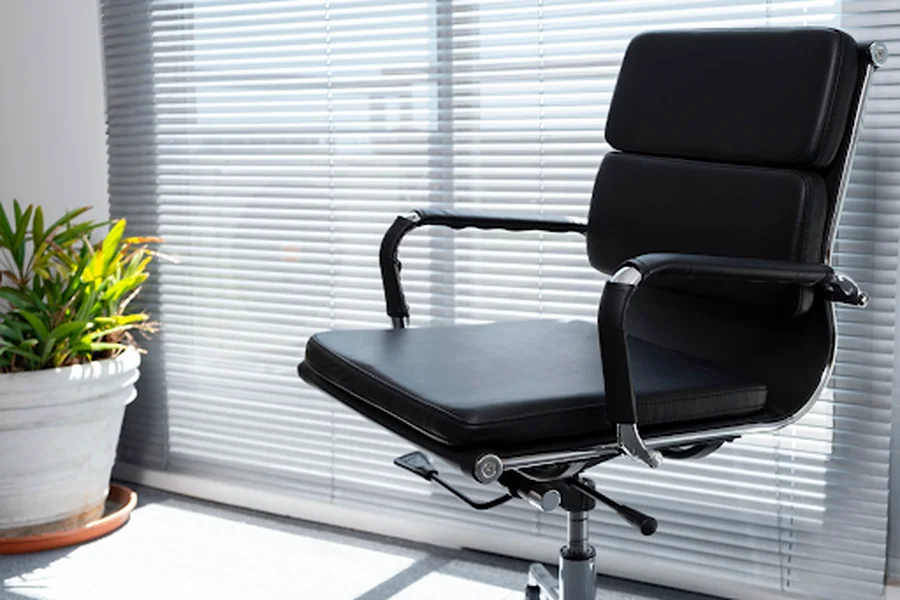

Choosing the right computer chair can have a significant influence on work efficiency, physical health, and overall comfort. Selecting a high-quality computer chair ensures better posture, improved focus, and long-lasting comfort for everyday use. Spending long hours seated at a desk—whether for professional tasks or gaming—can place strain on the back, shoulders, and neck if the chair does not provide adequate support. Investing in a high-quality chair promotes proper posture, reduces physical fatigue, and contributes to a more productive and comfortable workday.
The Role of Comfort in a Computer Chair
Comfort extends beyond softness or padding. A well-designed chair supports the natural curve of the spine, encourages upright posture, and allows for movement without restriction. Over time, poor seating can lead to chronic discomfort, tension, and decreased focus. A chair that balances support with ease of movement helps maintain energy levels throughout extended periods of use, benefiting both health and productivity.
Key Features of a High-Quality Computer Chair
Ergonomic Design
Ergonomic design focuses on aligning the chair with human anatomy to reduce strain on muscles and joints. Chairs with this approach often include lumbar support, adjustable armrests, and seat contours that distribute weight evenly. These elements help prevent slouching and minimise pressure points that can contribute to discomfort.
Material Durability
Materials affect both comfort and longevity. Premium chairs use high-density foam, breathable fabrics, or high-grade leather to maintain shape over time. The frame should be robust, typically constructed from metal or reinforced plastic, to support daily use and provide stability.
Adjustable Components
Chairs with multiple adjustable settings offer users the ability to modify seat height, backrest angle, and armrest position. Adjustable features allow the chair to accommodate a variety of body types and seating preferences, creating a tailored seating experience.
Mobility and Rotation
Smooth-rolling casters and a swivel base allow for effortless movement across the workspace, which can reduce strain from repetitive twisting or reaching. A chair that moves easily helps maintain comfort during long periods of sitting and facilitates interaction with surrounding equipment or colleagues.
Cushioning and Support
Adequate padding reduces pressure on hips and lower back while maintaining firm support. Quality cushions prevent sinking, which can lead to poor posture. Support in critical areas such as the lumbar region and seat edges ensures the body remains in alignment, enhancing endurance during extended sitting.
Impact on Health and Productivity
Productivity Improvements
A chair that promotes comfort and proper posture allows users to focus on tasks without distraction from discomfort. Concentration and efficiency often improve when the body is adequately supported, helping individuals complete work with less fatigue.
Health Benefits
A well-structured chair can help prevent back pain, shoulder stiffness, and repetitive strain injuries. By providing proper alignment and encouraging movement through adjustable features, these chairs reduce the risk of musculoskeletal issues that commonly affect office workers and gamers alike.
Comfort in Daily Use
Ergonomically designed seating also contributes to a more pleasant work environment. Comfortable seating reduces the physical strain of sitting, enabling individuals to maintain energy and focus throughout the day.
Buying Guide for Quality Computer Chairs
Budget Options
Chairs are available across a wide price range. High-end models often exceed a thousand dollars and include extensive ergonomic features and durable materials. Mid-range chairs, generally priced between $100 and $300, strike a balance between comfort and affordability. Budget-friendly chairs still provide functional support, offering a practical option for those with limited resources.
Assessing Personal Needs
Each user has unique requirements based on body size, intended use, and personal preference. Chairs vary in terms of adjustability, firmness, and cushioning. Selecting a chair that matches these individual factors improves comfort and effectiveness.
Material and Construction Quality
High-quality materials and solid construction are indicators of longevity and reliability. A chair with a sturdy frame, durable upholstery, and resilient padding maintains performance over time, providing consistent support.
Warranty and Customer Support
A dependable warranty and access to responsive customer support protect the investment. Manufacturers who provide clear warranty terms and assistance for defects or repairs help ensure a satisfactory ownership experience.
Purchasing Channels
Online Retailers
Reputable online stores offer a broad selection and convenient shopping options. Customer reviews and detailed product descriptions help buyers make informed choices.
Manufacturer Direct
Ordering directly from the manufacturer may provide advantages in price, product authenticity, and comprehensive warranties. Buyers can often access exclusive models or features unavailable through third-party sellers.
Local Stores
Physical stores allow for hands-on evaluation before purchase. Trying a chair in person reveals comfort levels, adjustment range, and overall build quality, offering insights that online descriptions cannot fully convey.

Conclusion
Selecting the right computer chair requires attention to design, materials, adjustability, and personal needs. A quality chair enhances posture, supports health, and provides lasting comfort, which can improve focus and efficiency during work or gaming sessions. Whether opting for a premium model, a mid-range option, or an affordable choice, prioritising durability and ergonomic support ensures the investment delivers meaningful benefits. Accessing trusted retailers or manufacturers and evaluating chairs based on their features can lead to a well-informed decision, resulting in a comfortable and productive workspace.